
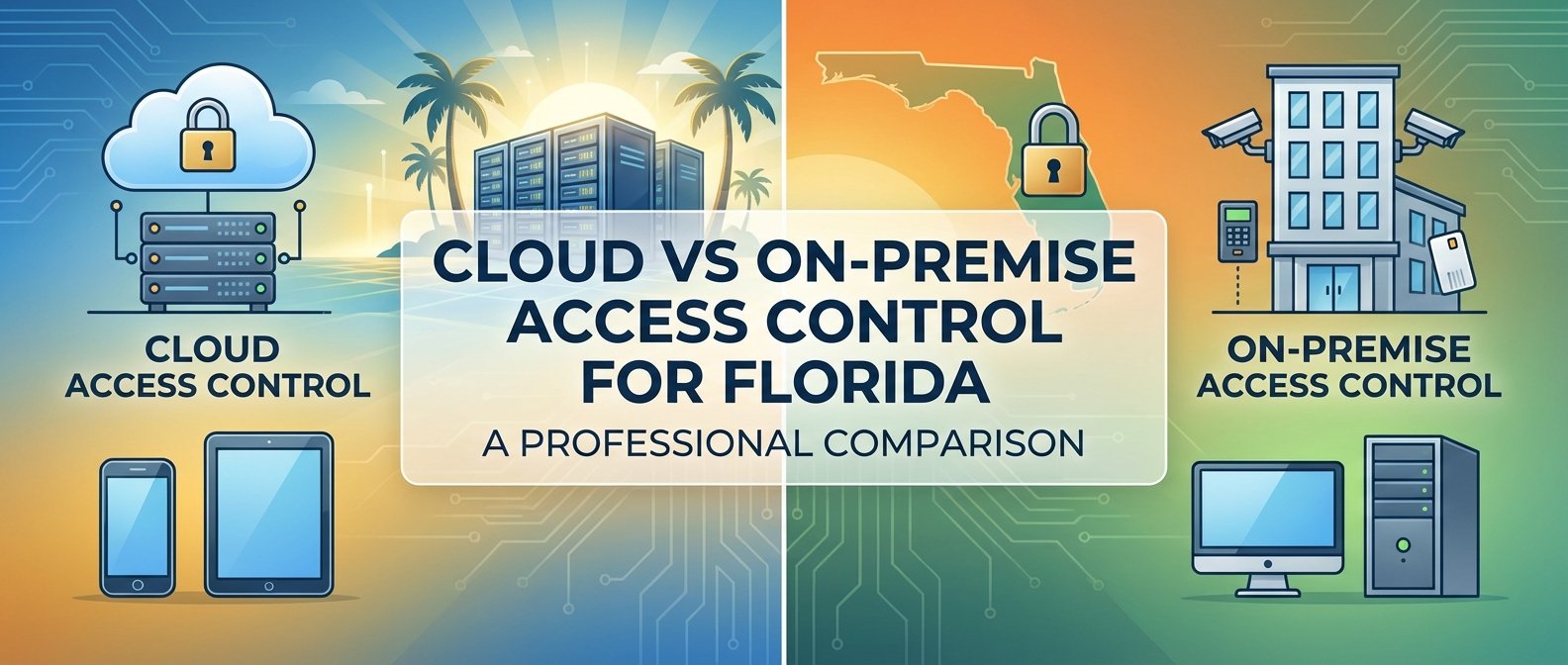
Choosing an access control system for your South Florida property involves more than selecting a brand—it requires deciding between two fundamentally different architectures. Cloud-based access control stores data and operates through internet-connected servers, while on-premise systems run locally on hardware you own and maintain. Each approach offers distinct advantages, and the right choice depends on your property type, size, IT resources, and operational priorities.
For property managers overseeing multi-family residential communities, hotels, or commercial office buildings, this decision impacts everything from daily operations to long-term maintenance costs. Understanding how these systems differ helps you select access control technology that protects your investment while supporting efficient property management.
How Cloud-Based Access Control Systems Work
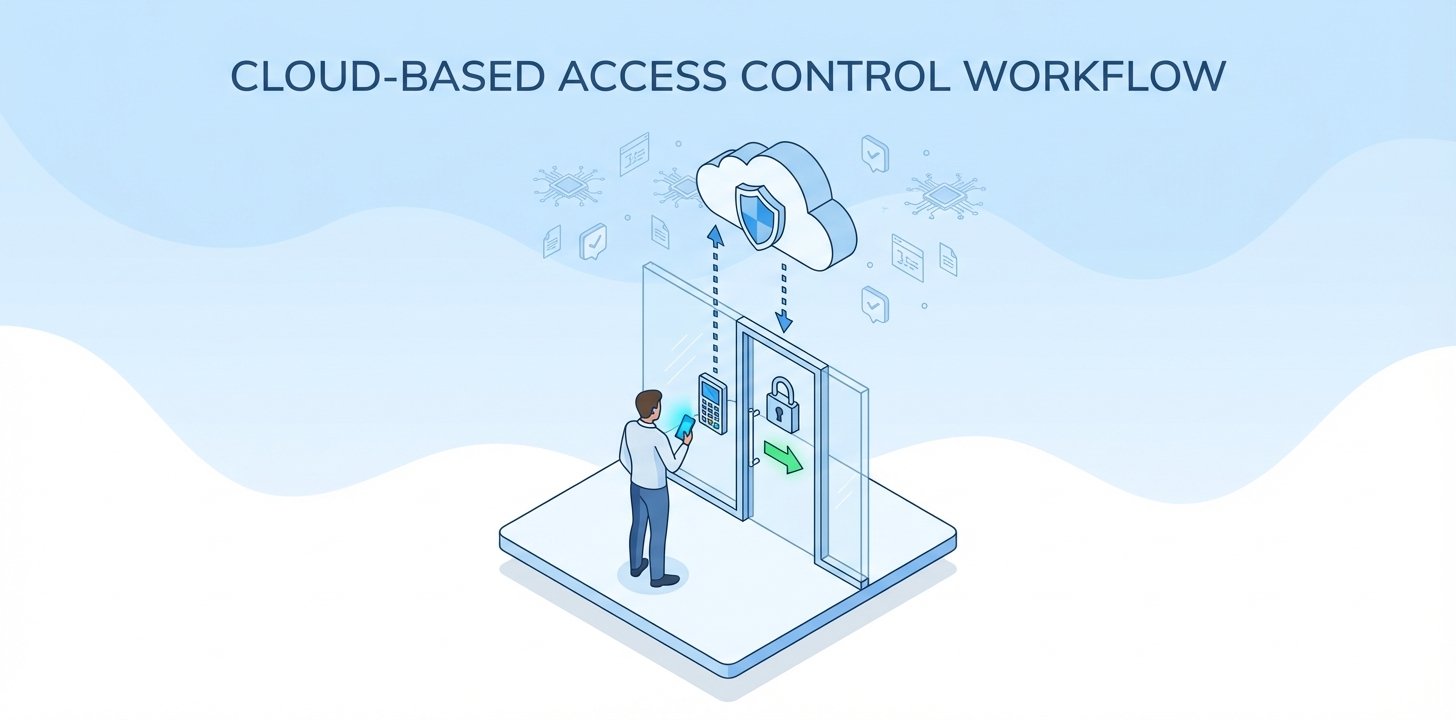
Cloud-based access control systems like Brivo and Verkada operate entirely through secure internet connections. When someone presents a credential at your property—whether a key card, smartphone, or fob—the door reader communicates with cloud servers to verify access permissions. The system checks credentials, logs the event, and triggers the door lock to release, all within milliseconds.
Everything runs through web-based software accessed from any device with internet connectivity. Property managers can grant access to new tenants, revoke credentials for former employees, or generate access reports from their office computer, smartphone, or tablet. There’s no need to physically visit door controllers or connect directly to local servers.
The infrastructure requirements are minimal. Each door requires a networked reader and electric lock, connected to your property’s internet through Power over Ethernet (PoE) switches or wireless connections. Software updates, security patches, and feature additions happen automatically through the cloud platform without requiring technician visits or system downtime.
Understanding On-Premise Access Control Architecture
On-premise access control systems like Napco’s Continental platform operate through local servers and controllers installed at your property. Hardware panels connect to door readers throughout your building, processing credentials and managing access decisions locally without requiring constant internet connectivity.
A dedicated server—typically housed in your IT closet or security office—runs the access control software and stores all credential databases, access logs, and system configurations. Property managers access this system through workstations connected to your local network, though many modern on-premise systems now offer optional remote access through VPN connections or secure web portals.
These systems provide complete data ownership and control. All information about who accessed which doors and when remains on your property. Updates and configuration changes happen according to your schedule, and the system continues functioning even during internet outages since all decision-making occurs locally.
Comparing Total Cost of Ownership
Cloud-based access control typically involves lower upfront investment but ongoing subscription fees. You pay for the access control hardware—readers, locks, and network infrastructure—along with professional installation. Monthly or annual software licensing covers the cloud platform, automatic updates, unlimited user management, and vendor-hosted data storage. For a 200-unit multi-family property in Boca Raton, this might translate to moderate initial hardware costs plus predictable monthly fees per door.
On-premise systems require higher initial capital expenditure. Beyond door hardware and installation, you’re purchasing servers, software licenses, and potentially backup systems. However, after the initial investment, ongoing costs are lower—primarily maintenance agreements and occasional hardware replacements. There are no monthly per-door fees, making on-premise solutions potentially more economical over 10-15 year lifecycles for large properties.
Consider hidden costs in both models. Cloud systems may charge extra for advanced features like visitor management integration or extensive video surveillance storage. On-premise systems require IT resources for server maintenance, software updates, and troubleshooting. For properties without dedicated IT staff, managed service agreements can add significant expense to on-premise deployments.
Scalability Considerations
Cloud-based systems excel at rapid scaling. Adding doors to your Verkada or Brivo system means installing new readers and activating them through the cloud platform—no server upgrades or capacity planning required. This flexibility benefits growing properties or businesses anticipating expansion.
On-premise systems scale in increments based on controller capacity. A panel might support 32 doors, requiring additional hardware investment when you exceed that threshold. For properties with known, stable access point counts—like a completed apartment community or established office building—this presents no limitation. But properties planning significant expansions may face hardware replacement costs as they grow.
Internet Connectivity and System Reliability
South Florida properties face unique connectivity challenges. Hurricane season brings potential internet outages that could impact cloud-dependent systems. Modern cloud access control platforms address this through local caching—door readers store recent credential data and continue granting access to authorized users even when internet connectivity drops. However, you cannot make real-time changes to permissions, view live activity, or manage the system remotely during outages.
Brivo and Verkada systems typically cache credentials for 30-90 days, meaning regular users maintain access during temporary outages. New credentials added before the outage but not yet synced to local readers won’t work until connectivity restores. For most commercial properties and multi-family communities, this represents acceptable resilience given how rarely extended outages occur.
On-premise systems operate independently of internet connectivity for core access control functions. Doors lock and unlock based on locally stored credentials regardless of your internet status. Remote management requires connectivity, but if you’re on-site, you can administer the system directly. This independence appeals to properties where uninterrupted access control is mission-critical, such as data centers, healthcare facilities, or high-security commercial buildings.
Data Security and Privacy Considerations
Cloud-based access control means trusting vendors like Brivo or Verkada to secure your data. Reputable providers invest heavily in cybersecurity—implementing encryption, multi-factor authentication, penetration testing, and compliance with standards like SOC 2. Your access logs and credential databases reside on professionally managed, redundant servers with security measures most individual properties cannot replicate internally.
However, cloud storage means your data exists outside your direct control. This concerns some property owners, particularly those managing high-security facilities or handling sensitive tenant information. Data breaches at the vendor level could potentially expose information about access patterns, though encrypted properly, this risk remains theoretical rather than practical for established cloud access control providers.
On-premise systems provide complete data custody. Access logs never leave your property unless you specifically export them. This appeals to properties with strict data sovereignty requirements or those in industries with specific compliance mandates. You control exactly who can access the system and when, without relying on vendor security practices.
The tradeoff is responsibility. Your IT team must implement proper security protocols—firewalls, network segmentation, regular updates, and backup procedures. Many smaller properties lack the expertise to secure on-premise systems as effectively as professional cloud vendors secure their infrastructure. A poorly secured on-premise system presents greater risk than a properly implemented cloud solution.
Integration With Property Management Systems
Smart access control systems increasingly integrate with other property technologies. Multi-family communities benefit from connecting access control with property management software, automatically granting building access when leases begin and revoking it when tenants move out. Hotels integrate access control with property management systems to provision guest room keys directly at check-in.
Cloud-based platforms typically offer more extensive pre-built integrations. Brivo integrates with major property management systems like Yardi, RealPage, and AppFolio through published APIs. These integrations often require minimal custom development, reducing implementation complexity and cost. The cloud architecture makes connecting disparate systems more straightforward since everything communicates through internet-based APIs.
On-premise systems can integrate with property management platforms, but implementations often require more custom development work. Integration happens through direct database connections or middleware applications that bridge the on-premise access control system with cloud-based property management software. This adds complexity and cost but provides more control over exactly how systems interact.
Mobile Credentials and Modern User Expectations
Mobile credentials—using smartphones as access keys—represent a significant operational advantage, particularly for multi-family residential properties and commercial office buildings. Residents and tenants strongly prefer mobile access over carrying physical key cards. Cloud-based systems like Brivo pioneered mobile credentials and offer the most seamless implementations.
Provisioning mobile credentials through cloud platforms is instant. Property managers send digital keys to new residents through email or text message, which users add to their smartphone apps. Revoking access happens just as quickly, eliminating concerns about unreturned physical keys when tenants leave. This convenience reduces property management workload while improving user experience.
On-premise systems have added mobile credential support more recently, but implementations vary in sophistication. Some require additional hardware or licenses, and the provisioning process may be less streamlined than cloud-native platforms. For properties where mobile access is a priority—particularly modern multi-family communities appealing to tech-savvy residents—cloud systems currently offer superior experiences.
Maintenance and Long-Term Support
Cloud-based access control systems receive automatic updates. When Verkada releases new features or security patches, they deploy to all customer installations simultaneously. You benefit from continuous improvement without scheduling technician visits or planning upgrade projects. This keeps systems current and secure with minimal effort from property management teams.
The downside is lack of control over update timing. Vendors push updates on their schedules, which could occasionally cause temporary compatibility issues with other integrated systems. However, reputable cloud vendors test updates extensively before deployment to minimize disruption.
On-premise systems update on your schedule. You decide when to implement new software versions and can thoroughly test updates before deployment. This control benefits properties with complex integrations where updates might impact connected systems. However, it requires active management—deferring updates indefinitely leaves systems vulnerable to security exploits and prevents access to new features.
Hardware maintenance follows similar patterns. Cloud systems typically include hardware warranties and replacement as part of subscription agreements. On-premise systems require separate maintenance contracts or pay-as-you-go service for hardware repairs and replacements.
Which Access Control Architecture Fits Your Property?
Commercial access control decisions should align with property characteristics and operational priorities. Cloud-based systems like Brivo and Verkada excel for:
- Multi-family residential communities where mobile credentials, easy tenant turnover management, and integration with property management software deliver substantial operational benefits
- Multi-site property portfolios requiring centralized management across locations throughout South Florida or nationwide
- Properties without dedicated IT staff where automatic updates and vendor-managed infrastructure reduce technical burden
- Rapidly growing properties anticipating significant expansion where cloud scalability provides flexibility
- Properties prioritizing modern user experiences with mobile access and remote management capabilities
On-premise systems like Napco Continental work well for:
- Large, established properties with stable access point counts and long-term perspectives where lower ongoing costs offset higher initial investment
- High-security facilities requiring complete data sovereignty and independence from internet connectivity
- Properties with professional IT departments capable of maintaining local servers and managing system updates
- Specialized applications requiring extensive customization or unique integration requirements better served by locally controlled systems
- Properties with specific compliance requirements mandating on-premise data storage
Hybrid Approaches for Complex Properties
Some large South Florida properties benefit from hybrid deployments combining both architectures. A Fort Lauderdale mixed-use development might implement cloud-based access control for residential units—leveraging mobile credentials and property management integration—while using on-premise systems for high-security areas like data centers or executive offices.
This approach maximizes each architecture’s strengths while adding complexity to system management. Fortress Global Technology regularly designs hybrid solutions for hotels, large office complexes, and mixed-use properties where different areas have divergent security and operational requirements.
Professional Installation and Integration Expertise
Whether choosing cloud-based or on-premise access control, professional installation by licensed electrical contractors ensures proper implementation. Access control systems require proper network infrastructure, correct power delivery, and precise configuration to function reliably. South Florida security installation demands additional considerations—outdoor readers need weather-resistant enclosures, coastal properties require corrosion-resistant hardware, and systems should integrate with backup power for hurricane preparedness.
Fortress Global Technology brings licensed contractor capabilities to access control installations throughout Palm Beach County, Broward County, and Miami-Dade County. As authorized integrators for Brivo, Verkada, and Napco systems, we design solutions matching your specific property requirements, handle complete installation including necessary network infrastructure, and provide ongoing local support throughout your system’s lifespan.
Making Your Access Control Decision
The cloud versus on-premise decision ultimately depends on your property’s unique circumstances. Consider your IT resources, budget structure, scalability needs, integration requirements, and operational priorities. Neither architecture is universally superior—each serves different property types and management preferences effectively.
Schedule a consultation with our security technology experts to evaluate your South Florida property’s specific access control needs. We’ll assess your current infrastructure, discuss your operational requirements, and recommend whether cloud-based, on-premise, or hybrid access control best serves your property’s security and management objectives. Contact Fortress Global Technology today to design a customized commercial access control solution that protects your property investment while supporting efficient daily operations.